Hotel guest satisfaction surveys: A complete guide for 2025
16/12/2024
25/05/2026
15 Min
Analia Mendonca
At Customer Alliance, we've helped thousands of hotels collect and analyse guest feedback. One thing is clear: properties that effectively measure guest satisfaction see higher revenue, better review scores, and increased loyalty. But creating and implementing an effective survey program isn't just about asking guests what they think. It's about asking the right questions, at the right time, in the right way. In this comprehensive guide, we'll share what works based on real data and insights from our Customer Success Managers who work with hotels every day. You'll learn: How to design surveys that guests actually complete When to send surveys for maximum response rates Which questions provide actionable insights How to turn feedback into revenue-driving improvements Why measuring guest satisfaction matters Guest satisfaction transforms every aspect of hotel performance. While most hoteliers understand the value of happy guests, recent research reveals the profound impact on revenue and long-term success.
At Customer Alliance, we've helped thousands of hotels collect and analyse guest feedback. One thing is clear: properties that effectively measure guest satisfaction see higher revenue, better review scores, and increased loyalty.
But creating and implementing an effective survey program isn't just about asking guests what they think. It's about asking the right questions, at the right time, in the right way.
In this comprehensive guide, we'll share what works based on real data and insights from our Customer Success Managers who work with hotels every day. You'll learn:
How to design surveys that guests actually complete
When to send surveys for maximum response rates
Which questions provide actionable insights
How to turn feedback into revenue-driving improvements
Why measuring guest satisfaction matters
Guest satisfaction transforms every aspect of hotel performance. While most hoteliers understand the value of happy guests, recent research reveals the profound impact on revenue and long-term success.
How guest satisfaction impacts hotel revenue
Understanding guest experiences shapes hotel performance in measurable ways. Data from leading industry studies shows just how powerful this connection is:
Cornell University research shows each point increase in guest satisfaction scores (measured from zero to 100) correlates with a $10 million boost in annual revenue
This means that by maintaining high levels of guest satisfaction, you can break free from price competition. Instead of lowering rates to fill rooms, you can maintain higher rates while keeping occupancy strong.
For a 100-room hotel, even a 10% premium on your average rate could mean hundreds of thousands in additional annual revenue - all without spending more on marketing or sacrificing occupancy.
It builds a foundation of loyal guests
The J.D. Power North America Hotel Guest Satisfaction Index Study reveals that meaningful guest interactions make a significant difference. Properties that encourage staff engagement beyond basic check-in see satisfaction scores 79 points above the industry average (856 out of 1,000).
Often become advocates, recommending your property to others
Help stabilize your revenue through low seasons
By consistently measuring and improving guest experiences, you build a reliable base of returning customers who choose your property regardless of competitor pricing or promotions.
The 4 essential elements of a successful guest satisfaction survey
The way you design your hotel survey directly impacts customer feedback and response rates. Our experience with thousands of guest satisfaction surveys has shown what all the best surveys have in common.
1. Purpose-driven questions
Every question should serve a clear goal. Before writing your first question, consider what insights you need to improve your guest experience. A clear objective helps you design questions that gather meaningful, actionable data.
"The best questions are those you can't ask via Google, Booking, or TripAdvisor. You want to gather unique insights, not duplicate existing feedback."
- Eris, Customer Success Manager at Customer Alliance
Are you evaluating a recent renovation? Looking to assess staff performance? Understanding your objectives shapes more effective questions.
Once you have clear objectives, create questions that deliver specific insights. Generic questions like "How was your stay?" provide broad feedback that rarely leads to concrete improvements.
Instead, target specific aspects that matter. For example, if you're assessing room comfort, ask "Rate the comfort of your bed from 1-5" rather than "How was your room?" This focused approach helps you:
Identify specific areas for improvement
Track performance by department
Make data-driven decisions about upgrades and training
Measure the impact of changes over time
2. A logical flow
The order of your questions affects how well guests recall and report their experience. A clear, logical structure helps them provide more accurate, detailed feedback.
Structure your survey to move naturally through different aspects of the stay:
Start with check-in and first impressions
Move to room quality and facilities
End with check-out and overall experience
This organised approach makes your survey feel professional and purposeful. More importantly, it helps you pinpoint exactly where service might need improvement. If you consistently see lower scores in specific areas, you know precisely where to focus your efforts.
3. Fewer than ten questions
Research shows survey completion rates drop significantly after 7-8 minutes. After this point, not only do fewer guests complete the survey, but the quality of responses declines - guests provide less detailed feedback and more neutral responses.
Most guests willingly answer 7-10 questions. This gives you enough data to make meaningful improvements while keeping response rates high. The key is choosing questions that directly inform your service improvements, not gathering nice-to-have information.
Let guests know what to expect. Tell them upfront how many questions they'll answer or how long the survey will take. A progress bar helps them see how close they are to finishing, making them more likely to complete all questions.
4. Universally understandable
A survey that works well for English speakers might confuse guests from other cultures. Creating surveys that work across cultures helps you gather reliable feedback from all your guests.
Star ratings and numerical scales translate clearly across languages and cultural backgrounds, while complex verbal scales often lose meaning in translation. Visual elements like smileys can also help bridge language gaps.
Modern survey platforms like Customer Alliance automatically send surveys in guests' preferred languages while maintaining consistent questions across translations. This means you can collect and analyse feedback from guests worldwide without losing meaning or nuance.
Types of questions to include in your hotel survey
Different types of questions serve different purposes in your survey. Understanding when to use each type helps you gather more precise, actionable feedback.
Rating scales
Rating questions form the backbone of your survey by providing clear, measurable data. Use these for your most important metrics - the ones you'll track over time to measure improvements. While you might be tempted to rate everything, focus on key touchpoints that impact guest satisfaction most.
Three key metrics stand out:
Net Promoter Score (NPS)
This 0-10 scale helps predict future growth through guest loyalty by measuring how likely guests are to recommend your hotel.
Example: "How likely are you to recommend our hotel to friends or family?"
Customer Satisfaction Score (CSAT)
CSAT gives you clear satisfaction benchmarks by measuring guests' overall experience on a simple numerical scale.
Example: "How would you rate your overall satisfaction with your stay?"
Customer Effort Score (CES)
CES identifies friction points in the guest experience by measuring how easy or difficult certain interactions were, using a 1-7 scale.
Example: "How easy was it to [check in/make a reservation/resolve your issue]?"
Yes/no questions
These simple questions work well for specific service checks. Use them when you need clear, binary data about whether basic expectations were met.
Limit these to truly yes/no situations - if you need to understand degrees of satisfaction, use rating scales instead.
Example: "Was your room ready when you arrived?"
Multiple choice questions
Multiple choice questions help you understand guest preferences and behaviors. Use these when you want to gather specific information about guest choices or preferences, but keep the options focused and relevant. Avoid including too many options - 4-5 choices usually work best.
Example: "Which factor most influenced your decision to stay with us?"
Location
Price
Reviews
Previous experience
Recommendations
Open text fields
While structured questions give you measurable data, open text fields capture detailed feedback and unexpected insights. Include 1-2 open questions maximum, and place them near the end of your survey when guests are most engaged. Make sure to ask about specific aspects of their stay rather than general comments.
Example: "What could we have done to make your stay even better?"
When to send your survey
Timing significantly impacts both response rates and the quality of feedback your guests provide. Let's look at when to request feedback for the best results.
During-stay survey
For stays of three nights or more, send a brief check-in via email after the first night - this gives guests time to experience the basics but leaves plenty of time to resolve any issues. The check-in should include:
A quick rating: "How is your stay so far?" (1-5 stars)
A follow-up for low scores: "What could we improve?"
Contact information for immediate assistance
Use your PMS or survey platform to automate these emails based on check-in dates. If you use Customer Alliance, these during-stay surveys can be set up to trigger automatically.
A great hotel survey is guest-focused. It avoids overloading guests with questions, focusing instead on key moments in the guest journey."
- Eris, Customer Success Manager at Customer Alliance
For specific services, place QR codes in key areas:
Restaurant tables and menus
Spa reception
Elevator areas
Guest room tablets
Keep these service-specific checks brief - one rating question followed by a comment field for any issues. When guests report problems, your staff can respond quickly and turn potential negative reviews into positive service interactions.
Automate your surveys with Customer Alliance
Take the guesswork out of survey timing. Our platform lets you:
✓ Schedule during-stay pulse checks for longer stays
✓ Send post-stay surveys at optimal times
✓ Automate review requests
✓ Maintain consistent timing across all your properties
Send your main satisfaction survey 24-48 hours after check-out. This timing works best because guests have had time to reflect on their full experience, but details are still fresh in their minds.
Send the survey in the morning (between 9-11 AM in the guest's local time zone) when people are more likely to engage with emails.
If you don't receive a response, follow up thoughtfully. One reminder 3-4 days after your first request is acceptable, with a final reminder within the week if needed. Stop after three attempts - more than this risks irritating guests and damaging the relationship you've built.
How to implement your hotel survey program
Many hotels put off starting a survey program because it seems overwhelming. Between choosing platforms, setting up systems, and training staff, the process can feel daunting. But breaking it down into clear steps makes implementation straightforward.
Step 1: Choose Your Survey Platform
Your survey platform forms the foundation of your feedback program. Look for these essential features:
Automated sending: The platform should automatically trigger surveys based on check-out dates. This ensures consistent timing and removes manual work from your team.
Multiple languages: Your platform needs to detect guest language preferences and send surveys accordingly. The system should maintain question consistency across translations to keep your data reliable.
Mobile optimisation: With most guests responding on phones or tablets, your surveys must work perfectly on all devices. Check how your surveys display on different screen sizes.
Response management: You need a central place to track responses, analyse feedback, and manage follow-up actions. Look for platforms that make it easy to spot trends and urgent issues.
Step 2: Connect your systems
Integrating your survey platform with your Property Management System (PMS) is crucial for automation. This connection ensures your surveys reach the right guests with the right information.
Your PMS needs to automatically share guest data with your survey platform, from basic contact details to check-in dates and room types. This information helps you personalise surveys and time them correctly. For example, if a guest books a spa treatment, your survey can include specific questions about that experience.
The integration also enables accurate tracking of which stays generated which feedback. This means you can spot patterns - like certain room types consistently receiving lower scores - and take targeted action to improve.
Before launching your program, test the connection thoroughly. Make sure guest data flows correctly, surveys trigger at the right times, and responses link back to the correct stays. This testing phase helps prevent technical issues that could frustrate guests or create gaps in your feedback collection.
Now it's time to build your survey using the question types and principles we discussed earlier. Start with your core metrics - NPS, CSAT, and any specific areas you want to track consistently. Then add questions about key touchpoints in the guest journey.
Remember to keep your total questions under ten. You might feel tempted to ask about every aspect of the stay, but focus on what matters most. Your platform should let you rotate
Create different survey templates for different purposes. Your during-stay pulse check should be ultra-short, while your post-stay survey can be more comprehensive. Your platform should make it easy to manage these different templates and when they're used.
Customer Alliance's drag-and-drop survey builder makes it easy to build surveys customised to your needs
Step 4: Train your team
Your staff needs to understand both the technical and service aspects of your new survey program. Front desk teams should know when guests will receive surveys so they can mention it during check-out. Service staff should understand how to access and act on feedback quickly, especially for during-stay responses.
Create clear protocols for handling feedback. Who monitors responses? How quickly should staff respond to issues? What actions can they take without approval? Having these processes in place before launch prevents delays in addressing guest concerns.
Set up regular review sessions where departments can discuss survey insights. This helps teams understand how their work affects guest satisfaction and encourages ownership of improvements. It also helps spot training needs or process issues that might be affecting scores.
Make sure managers know how to use your survey platform's reporting features. Understanding how to analyze trends and extract insights helps them make better operational decisions and track the impact of changes.
Step 5: Launch and optimise your program
Start with a soft launch to test your setup. Send surveys to a small group of guests first, perhaps for a week or two. This helps you catch any technical issues or unclear questions before full implementation.
Monitor your early results closely. Watch your response rates - if they're lower than expected, you might need to adjust your timing or email subject lines. Check completion rates too - if guests start surveys but don't finish them, your survey might be too long or complicated.
Pay attention to guest feedback about the survey itself. Sometimes guests will comment that certain questions are unclear or that they wanted to provide feedback about something you haven't asked about. Use these insights to refine your questions.
Once you're confident everything is working smoothly, roll out your full program. Keep checking your metrics regularly and be prepared to make adjustments based on what you learn.
How to analyse and act on survey results
Collecting feedback is just the start. Success comes from understanding what your data tells you and taking meaningful action. Let's look at how to turn survey responses into real improvements.
Step 1: Track your core metrics
Watch how your key measures trend over time. Are your NPS scores improving month over month? Do satisfaction ratings dip during peak season? Understanding these patterns helps you make better operational decisions.
Beyond overall scores, look at what drives them. For example, if your NPS is dropping, dig into which aspects of the stay get lower ratings. This shows you exactly where to focus your improvement efforts.
Step 2: Spot urgent issues
Some feedback needs immediate attention. Create a system for flagging and responding to critical issues - like maintenance problems or service failures - as soon as they're reported.
If you’re using a complete guest feedback software like Customer Alliance, alerts for this kind of feedback will likely be built-in. Quick action can often turn a negative experience positive and will help prevent bad reviews from tarnishing your online reputation.
Remember that each complaint likely represents other guests who felt the same but didn't speak up. If multiple guests mention the same issue, even in passing, it deserves your attention.
Step 3: Prioritise improvements
Not everything can be fixed at once. Look for patterns that point to your biggest opportunities for improvement. Consider both frequency (how often an issue appears) and impact (how much it affects guest satisfaction).
Create an action plan based on:
Issues that affect many guests
Problems that significantly impact satisfaction scores
Quick wins that can be implemented easily
Long-term improvements that need planning
Track all your guest feedback metrics in one dashboard
See your scores, trends, and insights at a glance. Our platform gives you:
✓ Automated NPS and satisfaction score calculations
Sometimes standard surveys reveal issues that need closer investigation. If you notice consistent complaints about a specific service - like breakfast - consider running a focused survey to gather more detailed insights.
For example, if breakfast scores are consistently low, create a short, targeted survey specifically for breakfast guests. You might ask:
"How long did you wait to be seated?"
"Rate the variety of breakfast options"
"Was the temperature of your food satisfactory?"
"What items would you like to see added to the buffet?"
By focusing on one area, you can gather specific data to guide improvements without making your regular survey too long. The same approach works for any service area getting poor feedback - from spa services to room cleanliness.
Step 5: Measure your impact
When you make changes based on feedback, track their effect. Did that new check-in process actually speed things up? Has training your breakfast staff improved dining satisfaction scores? This data helps you understand which improvements really work.
Keep measuring even after scores improve. Sometimes initial improvements fade as teams fall back into old habits or new issues arise. Regular monitoring helps maintain high standards.
Step 6: Share results with your teams
Regular feedback sessions keep teams engaged and motivated. Share both positive comments and constructive criticism - teams need to know what they're doing right as well as where they can improve.
Break down feedback by department so teams understand their specific impact on guest satisfaction. When staff see how their work directly affects guest experiences, they're more invested in making improvements.
Step 7: Close the loop with guests
Don't just collect feedback - show guests you value it. Thank them for their responses and, when appropriate, tell them what changes you're making based on their input. This encourages future feedback and shows you take their opinions seriously.
For negative feedback, a thoughtful response can often turn the situation around. Contact unhappy guests promptly, acknowledge their concerns, and explain how you'll prevent similar issues in the future.
Guest satisfaction survey example
Let's look at how to apply everything we've covered. Say that The Grand Hotel, a city centre business hotel, wants to:
Improve their business guest experience
Evaluate their new breakfast service
Monitor front desk efficiency
Track overall satisfaction
How likely are you to recommend our hotel to colleagues? (0 = Not at all likely, 10 = Extremely likely)
Was your check-in process smooth and efficient?
- Yes
- No (If no, what could we improve?)
Was your room suitable for working?
- Yes
- No (If no, please explain)
Rate the reliability of our WiFi connection (1 = Very Poor, 5 = Excellent)
Did you try our new breakfast service?
- Yes
- No (If yes, how would you rate it? 1 = Poor, 5 = Excellent)
How would you describe the level of service from our staff? (1 = Very Poor, 5 = Excellent)
What factor most influenced your decision to stay with us?
- Location
- Price
- Reviews
- Previous experience
- Recommendation
What could we have done to make your business trip better? (Open-ended)
This survey follows the key principles we discussed earlier:
Each question serves a clear business objective
The NPS question targets word-of-mouth growth among business travellers
Check-in efficiency directly measures a crucial touchpoint
Room and WiFi questions assess core business guest needs
Breakfast rating evaluates the new service initiative
Staff service question measures overall service quality
The survey moves naturally through the guest journey
Starts with overall recommendation likelihood
Follows the guest experience from check-in through to facilities
The survey doesn't demand too much time from the guest
Contains eight questions with two conditional questions, sticking to our recommended maximum of 10
Each question provides unique, actionable insights
No redundant questions or unnecessary details
A mix of question types provides quantitative and qualitative data
Rating scales (NPS 0-10, service quality 1-5)
Yes/No questions with follow-up options
Multiple choice for guest preferences
One open-ended question for detailed feedback
The questions can be easily understood by a wide range of guests
Uses consistent rating scales
Provides clear labels for all scale endpoints
Keeps questions short and specific
Avoids complex or ambiguous language
Get more from your guest satisfaction survey with Customer Alliance
An effective guest satisfaction survey is more than just a set of questions - it's a strategic tool for improving guest experience, increasing revenue, and building loyalty. By following the guidelines in this guide, you'll gather more meaningful feedback that helps you make real improvements to your guest experience.
But collecting feedback is just the first step. With Customer Alliance, you can automate your entire survey process, from perfectly-timed sending to in-depth analysis. Our platform takes care of everything, so you can focus on what matters most: using those insights to enhance your guest experience. Claim your free 15-minute intro today to see how we can help.
Choosing a reputation management software becomes more complex as a hotel portfolio grows.
With multiple properties, regions, teams, review portals, surveys, and systems involved, the question is no longer simply whether a platform can collect and respond to feedback. It also needs to give teams a consistent view across the portfolio, while still making it possible to understand what is happening at individual properties.
So what should hotel groups actually look for when comparing platforms?
In this article, we break down six criteria that matter when evaluating guest feedback management software, from review coverage and integrations to multi-property reporting and the ability to identify what is really driving guest satisfaction.
Key takeaways
A portfolio with 50 properties and 7 review portals is managing lots of separate feedback feeds, no regional team can read that volume one review at a time.
The complaint guests mention loudest and the complaint actually dragging down your score are rarely the same one; only ranked driver analysis tells you which to fund first.
Dorint Hotels & Resorts runs guest feedback for nearly 60 hotels through Customer Alliance, with visibility scoped by property, region, or brand.
Customer Alliance unifies review coverage across 20+ portals, CSAT/NPS/CES surveys, AI-generated Brand Voice replies, and Key Driver Analysis in one platform, used by 5,000+ hospitality businesses including Marriott, Radisson, BWH, and Dorint.
Why do hotel groups need multi-property guest feedback management?
Centralized reputation management software gives large hotel chains one view of guest feedback across the whole portfolio, visibility into which properties are struggling and which issues repeat across locations, and central oversight that still lets each property manage and respond to its own reviews. For a chain running 50 properties across 7 review portals, that's the difference between reading every review one at a time and seeing the whole portfolio at a glance.
Without that layer, feedback stays fragmented across portals, surveys, and teams, and patterns that are obvious at the portfolio level get missed at the property level: a cleanliness complaint recurring at three hotels in the same region, for instance, or guest expectations that differ noticeably from one market to the next. Centralized reporting surfaces those patterns for head office, while each property keeps owning its own response.
What centralized reputation management software does for a hotel chain:
Consolidates reviews, surveys, and guest feedback from every property and portal into one system
Surfaces cross-property patterns, like a recurring complaint or a regional gap in guest expectations
Keeps response and action local, even as reporting rolls up centrally
Scales by level: HQ sees the portfolio, a regional manager sees their cluster, a GM sees their propert
Dorint Hotels & Resorts is a working example of this in practice: it manages guest feedback across nearly 60 hotels on Customer Alliance, giving headquarters portfolio-wide visibility while each property still handles its own guest responses and local follow-up. See how Dorint runs its feedback program across the group.
What criteria should a hotel group use when comparing guest feedback management software?
Work through these six criteria in order. Each one is a capability a portfolio specifically needs, and each one is something Customer Alliance was built around.
Criterion 1: Review and portal coverage
Confirm the software pulls reviews from every portal that matters to your portfolio, including region-specific ones like HolidayCheck where a meaningful share of guests actually leave reviews, not just Google and Expedia, for example.
Guest feedback isn't only public reviews: check that the software also runs CSAT, NPS, and CES surveys at key moments in the guest journey, not just an email review request.
Criterion 3: Response automation and brand voice consistency
Ask for a live demo of AI-generated replies and check whether they hold a consistent brand voice across different properties and languages, not a generic template.
Criterion 4: Multi-property reporting and analytics
Reporting needs to be scoped by level: HQ sees the whole portfolio, a regional manager sees their cluster, and a GM sees their own property, while still letting you drill from a portfolio average down to the property behind it. Ask how granular that access actually gets, and how many steps it takes to go from a portfolio number to a specific property; a flat, one-size-fits-all view won't tell you which property needs help.
Criterion 5: PMS, CRM, and revenue integrations
Check that the software connects to your existing PMS and CRM to automate guest-data syncs and trigger surveys on stay events, rather than requiring manual list uploads. Customer Alliance offers 100+ integrations with PMS, CRM, and revenue systems, connecting via OAuth or API-key exchange.
Criterion 6: Diagnostic and evaluative intelligence, not just management
Ask whether the software can rank which feedback topics most influence your satisfaction score and confirm whether a specific operational change, a renovation, a new breakfast supplier, a staffing change, actually moved the number. This is where Customer Alliance's Key Driver Analysis and AI Insights go furthest: software that only collects and organizes feedback is managing it; Customer Alliance ranks what to fix first and proves whether it worked, which is what makes it a guest feedback intelligence platform rather than a review-management tool.
How does Customer Alliance meet all six criteria?
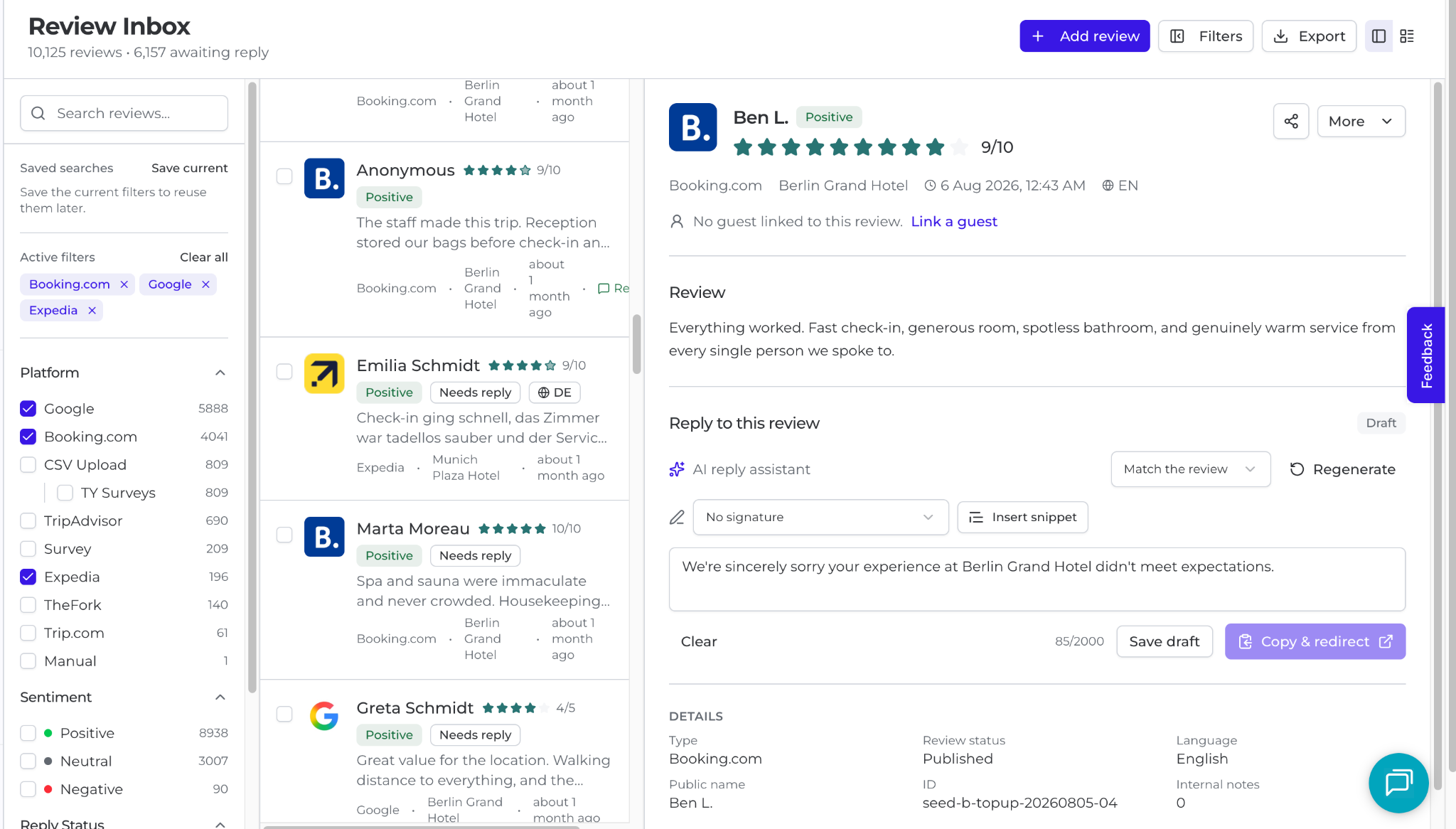
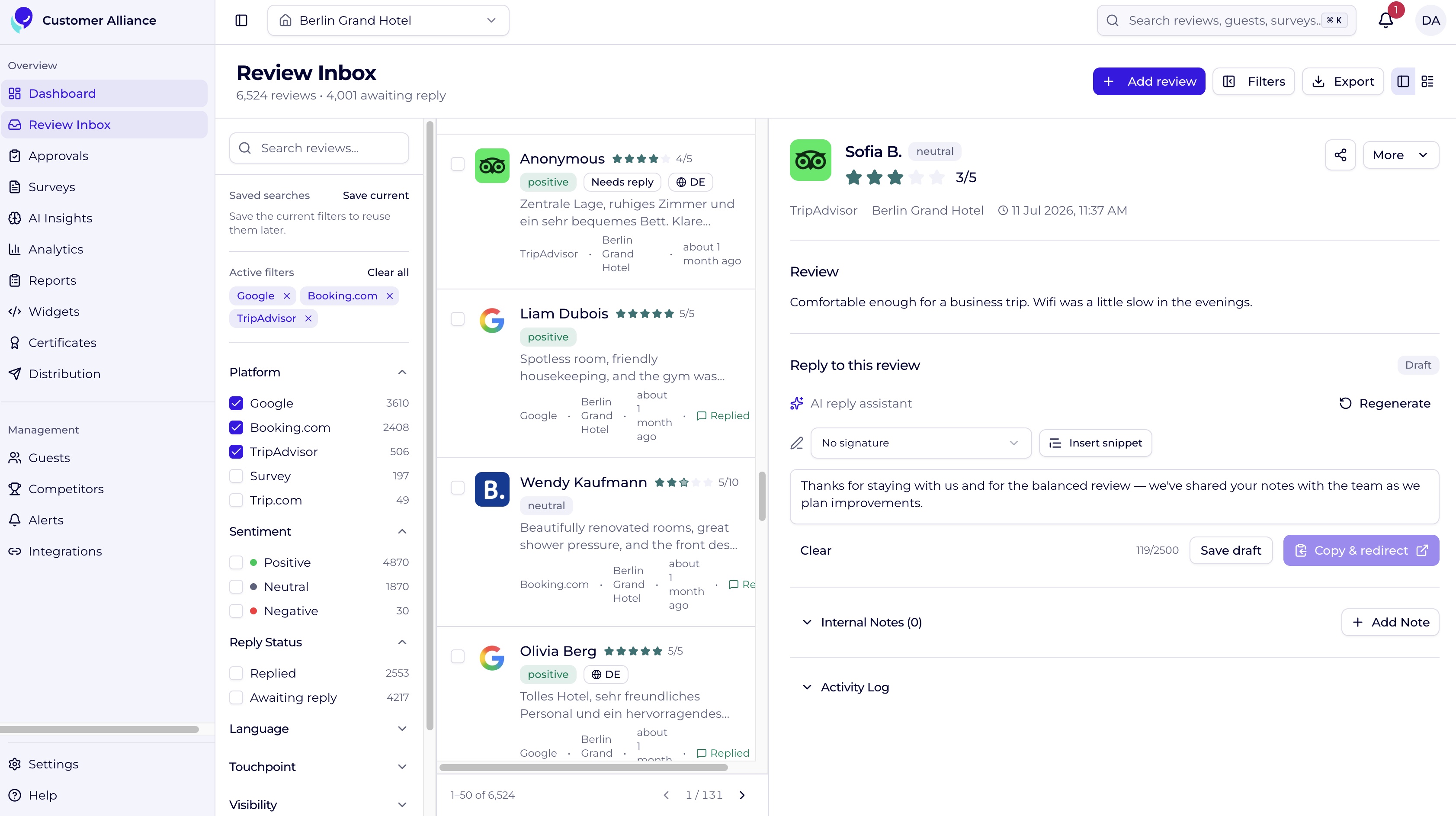
In practice, this runs as one workflow. Reviews and completed surveys land in a single inbox, filterable by portal, property, date, or sentiment; the AI Reply Assistant drafts a reply in the hotel's Brand Voice, which staff edit and send, posting directly on connected portals or copying to clipboard for the rest. Surveys trigger automatically off PMS stay events.
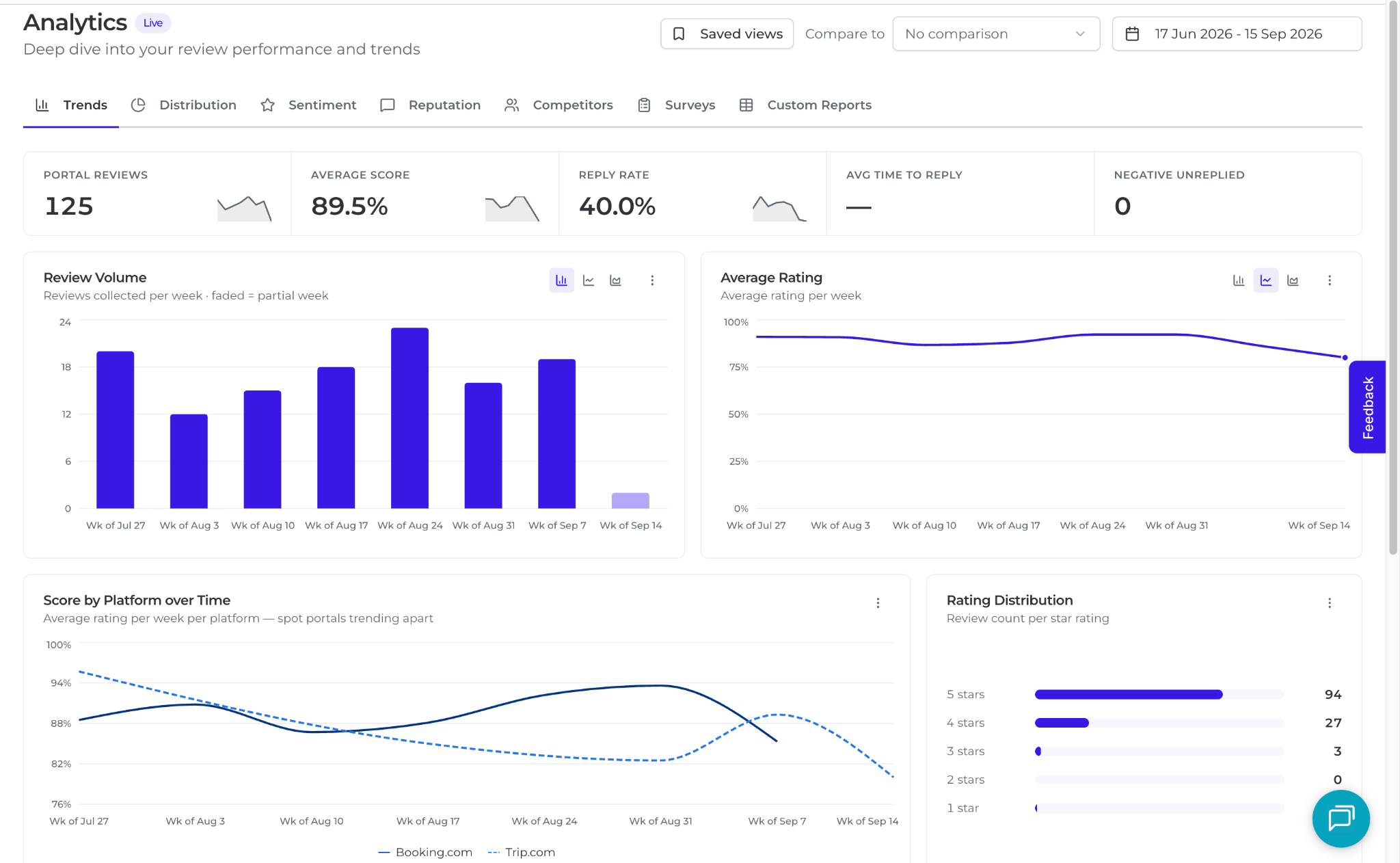
Reporting rolls up to whichever level of the portfolio you're looking at: HQ, a region, or a single property, rather than adding a new sub-menu every time a metric gets added. Trends, per-portal breakdowns, sentiment, competitor benchmarking, and survey performance sit in the same window, with core tiles: total reviews, average score, reply rate, average time to reply, and unreplied negative reviews you can click straight into, always visible alongside them. Because not every hotel group tracks the same things, you can also build a custom pivot table or chart from the underlying data and save it alongside the built-in dashboards, or schedule any view as a PDF report for stakeholders who don't log in.
Underneath all of it, AI Insights reads every open-text review and survey comment to surface what's going well and what needs improvement, and Key Driver Analysis ranks which of those topics actually moves the score.
Criterion
What Customer Alliance delivers
Review and portal coverage
Google, Expedia, HolidayCheck, and 16+ other portals in one inbox
Multichannel feedback capture
CSAT, NPS, and custom surveys across the guest journey, plus 3M+ surveys processed
Response automation and brand voice
AI Reply Assistant drafting on-brand replies in seconds, editable before sending
Multi-property reporting and permissions
Consolidated dashboards and role-based access by property, region, or brand
System integrations
100+ integrations with PMS, CRM, and revenue systems
Diagnostic and evaluative intelligence
AI Insights and Key Driver Analysis ranking what to fix first, and confirming whether it worked
What results do hotels see once they close the loop on feedback?
Early results on Customer Alliance show satisfaction scores and review visibility moving together.
Choose a software that gives you feedback intelligence, not just review management
Working through all six criteria: coverage, multichannel capture, response automation, multi-property reporting, integrations, and diagnostic intelligence, surfaces which platforms actually hold up at portfolio scale before a bad rollout costs you time and budget.
For hotel groups and chains specifically, the Customer Alliance platform is built around this exact shortlist: group-level insight with local-level action.
Ready to run your own shortlist against it? Book a demo and see how it stacks up for your portfolio.
Frequently asked questions (FAQ)
What is guest feedback intelligence?
Guest Feedback Intelligence is the approach of bringing together everything your guests say, across different OTAs, languages, and time, and turning it into structured, shared, and actionable understanding across your entire operation. It brings feedback from across different portals into one view, organises it at scale, and enables teams to respond, identify patterns, prioritise actions, and make decisions based on what guests are consistently experiencing. It is a way of treating guest feedback not as individual comments, but as a continuous source of visibility, reputation, and insight that informs how the hotel operates and improves.
Does Customer Alliance meet all six criteria for enterprise hotel groups?
Yes. Customer Alliance combines review and portal coverage, multichannel surveys, AI-generated brand-voice replies, multi-property reporting and permissions, 100+ integrations, and AI Insights in one platform, and is used by hotel groups.
What features should you prioritize when choosing a reputation management tool for a hotel chain?
Prioritize six features: coverage of every review portal your guests actually use, not just Google and Expedia; multichannel capture through CSAT, NPS, and CES surveys; AI-generated replies that hold a consistent brand voice across properties and languages; multi-property reporting you can drill from a portfolio average down to a single hotel; integrations with your PMS and CRM; and diagnostic intelligence that ranks which issues are actually driving your satisfaction score. Most tools stop at collecting and organizing feedback. The last one is what turns a review tool into a guest feedback intelligence platform.
What does reputation management for hotel chains need beyond standard review monitoring?
Review management for hotel chains has to add multi-property permissions, portfolio-wide reporting, and consistent brand voice across every location on top of monitoring and responding to reviews. Customer Alliance is built around those requirements, with Dorint Hotels & Resorts managing nearly 60 hotels on one account as an example.
Does better guest feedback management actually increase bookings?
Review scores and volume influence ranking and visibility on OTAs and in search, which affects both indirect and direct bookings. Beyond visibility, a stronger, well-managed reputation increases traveler confidence at the point of booking — which is why Customer Alliance customers like Gorki Apartments and My Arbor have seen both review-score gains and stronger booking-related outcomes after closing the loop from feedback to action.
The new Customer Alliance platform brings guest feedback intelligence to hotels. It's an AI-first platform that unifies reviews, surveys, and direct feedback in one place, helping teams capture, understand, and act on guest feedback to improve the guest experience, reputation, and revenue. Great hotels already run on great systems that keep the operation moving; guest feedback is what connects all of that to the people it's for, your guests, showing you what's working, what to improve next, and what keeps them coming back.
The new Customer Alliance platform is AI-first, built for hotel reputation management and guest feedback intelligence. It's available now to hotels and groups worldwide.
Guest feedback intelligence unifies every guest voice (reviews, surveys, and direct feedback) into one structured, shared, and actionable view. It's how a hotel moves from reading comments one by one to understanding what guests are consistently experiencing, and acting on it.
The platform runs one connected cycle: capture, understand, share, and act. Feedback moves from collection to analysis to a decision without leaving the tool.
It is trusted by 5,000+ hospitality businesses, including Marriott, Radisson, BWH, and Dorint.
Early results are measurable. Preston Palace saw a 14% rise in cleanliness satisfaction, My Arbor a 55% increase in Google reviews, and Gorki Apartments reached #1 on TripAdvisor in Berlin with a 12% review-score gain in six months.
What is the Customer Alliance Platform?
The Customer Alliance platform is an AI-first guest feedback intelligence platform for hotels, built by Customer Alliance and trusted by more than 5,000 hotels worldwide. It brings reviews, surveys, and direct feedback into one place, helping hotels capture, understand, share, and act on guest feedback, and it combines review management across major portals with customized CSAT and NPS surveys, AI Insights, and analytics. To date it has processed over 3 million guest surveys and collected more than 90 million reviews, delivering insights to the teams that need them through 100+ integrations with PMS, CRM, and revenue systems.
With the Customer Alliance platform, a hotel can:
Centralise reviews from across portals and its own surveys in one place
Reply to reviews on Google, Booking.com, Expedia, HolidayCheck and 16 other portals, with AI-generated replies adapted to the hotel’s Brand Voice.
Measure CSAT, NPS, and key moments of the guest journey with customized surveys
See which issues most influence satisfaction with AI Insights and Key Driver Analysis
Prove whether a renovation or operational change moved the score
Share insights with GM, revenue, operations, quality, and regional teams through 100+ integrations with PMS, CRM, and revenue systems
Why did we rebuild the platform now?
AI has changed how hotels compete and make decisions, and that makes structured guest feedback more valuable than ever. It can no longer sit in scattered review portals, spreadsheets, and isolated reports, read one comment at a time.
So we rebuilt the platform on an AI-first foundation and improved every core feature, from review collection and replies to surveys, based on what our customers asked for. It now makes guest feedback easy to structure, understand, and act on across a hotel's teams and tools, and it's ready to support whatever they build next.
"Guest feedback is nothing new; hotels have always had it. The real question is how AI can transform that feedback into insights, priorities, actions, and measurable improvements. That's what we mean by guest feedback intelligence: not just collecting reviews and surveys, but making sense of them so hotels know where to focus and what to do next," said Steffen Schmickler, CEO of Customer Alliance.
What can hotels do with the new platform?
The platform runs one connected cycle: capture, understand, share, and act, so a hotel can move from only collecting feedback to also acting on it. Two lenses sit at the centre of that cycle: an evaluative lens that judges whether operations are landing, and a diagnostic lens that ranks what to fix next.
The evaluative lens answers "did it work?"When a property changes its breakfast buffet, the only way to know whether the change actually landed with guests is to track their satisfaction quarter over quarter against the date it happened. It's exactly how Preston Palace confirmed the impact of refreshing its restaurant, helping lift breakfast satisfaction to around 9.0 out of 10. That is how a GM proves to ownership that an investment paid off, or learns quietly that it did not.
The diagnostic lensanswers "what should we fix first?"No hotel can fix everything, so the value is in the ranking. Key Driver Analysis can show that staff friendliness is already excellent with little room to move the score, while room quietness is mediocre and one of the strongest drivers of satisfaction, redirecting the next investment to where it actually returns.
What's inside the new Customer Alliance platform?
The new Customer Alliance platform includes a review inbox, a survey builder, AI Insights with Key Driver Analysis, a consolidated analytics view, reports, website widgets, and a dedicated integrations area. The reputation management essentials (review collection, replies, and surveys) have been refined with input from hoteliers, and together these bring every stage of the feedback cycle into one workspace. Below is a walkthrough of each area, in the order feedback flows through it.
Dashboard: see guest satisfaction at a glance
The dashboard gives you an immediate, high-level snapshot of guest satisfaction across a single property or your whole portfolio. A global date filter in the top right: Last 7, 30, or 90 days, or a custom range, updates every metric on the page at once.
Four core performance tiles: Total Reviews, Average Score, Replied Reviews, and Unresolved Negative Reviews, the last flagged as a critical action item so service recovery gets prioritised.
Performance trends and sentiment breakdown: see when scores dipped or climbed, with an AI-driven read on whether guest perception is shifting.
Per-platform scores and a live review feed: compare Google, Booking.com, and TripAdvisor at a glance, and click any recent review to open the full stream.
Real-time alerts: the bell icon notifies you when a review crosses a score threshold or when a teammate tags you on a review.
Review Inbox: collect and reply to feedback in one place
The Review Inbox is a live, unified feed of reviews from third-party portals alongside completed guest surveys. A filter bar lets you isolate feedback by platform, date, score, sentiment, or reply status, so you focus on what matters right now.
Each review card shows reviewer name, average score, a sentiment indicator, and reply status; expanding it reveals full text and sub-question scores.
Reply manually or generate a draft in your defined brand voice, then edit before sending.
For directly connected portals, click to post instantly; for external portals, your reply is copied to the clipboard and you're redirected to paste and send.
Schedule replies for later, tag teammates for escalation, and import offline or paper feedback by uploading a CSV that flows straight into your analytics.
Surveys: get targeted feedback beyond public reviews
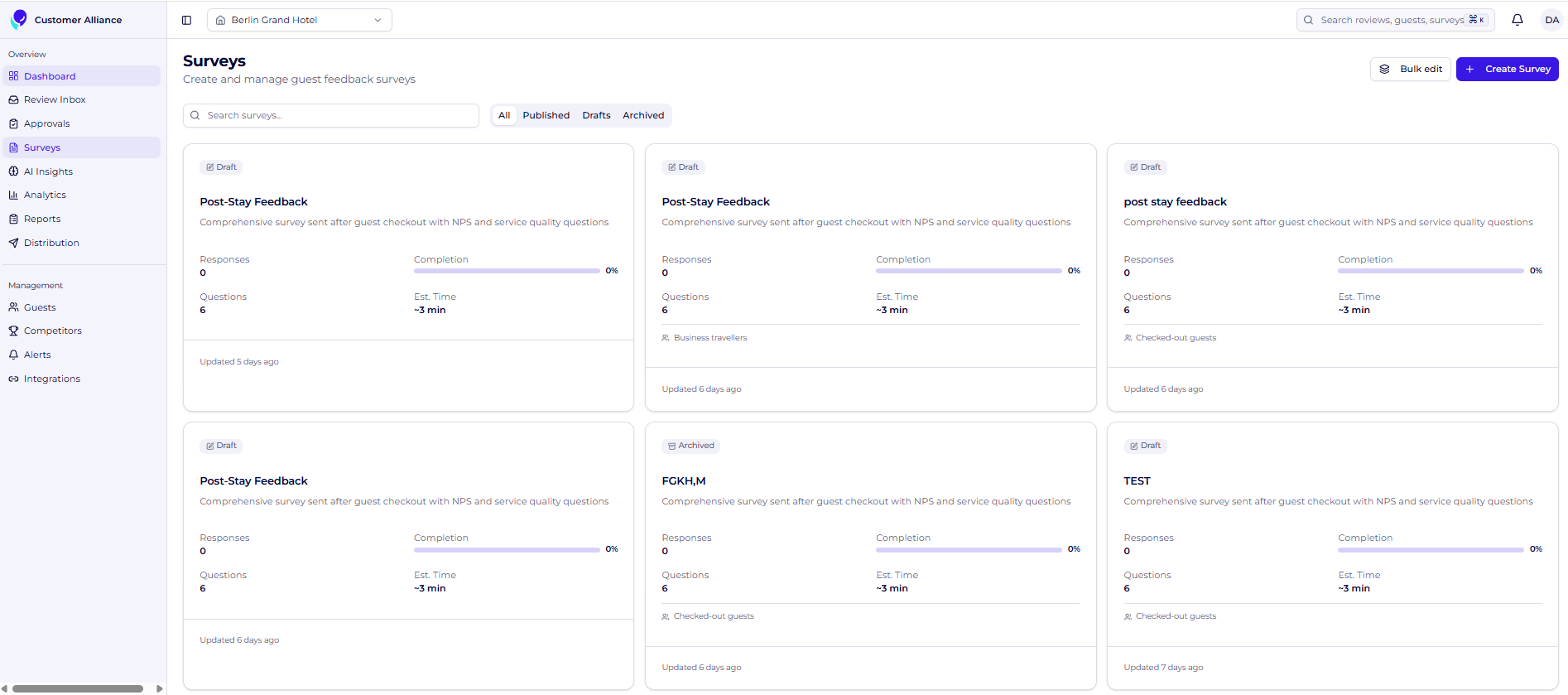
The redesigned, drag-and-drop survey builder lets you ask guests about the moments that shape their stay and send surveys to targeted audiences. Distribute them by automated email or a static link in QR codes, digital signage, or your Wi-Fi login page.
Start from a blank survey or a pre-built industry template.
Choose from NPS, CSAT, CES, 1–5 star, emoji ratings, short and long text, and single- or multi-select questions.
Add conditional sub-questions: for example, an automatic follow-up when a guest gives a detractor score, to gather depth without cluttering the survey.
Preview on desktop and mobile, save drafts automatically, and publish so surveys fire when your triggers are met. Unlimited surveys are available on plans that include them.
Distribution: send feedback requests to the right guests at the right time
Distribution is where you build, send, and monitor the campaigns that get your surveys in front of guests at the right moment. Using data from your PMS integration, you can segment your audience and reach guests before they arrive, during their stay, or after they check out.
See account-wide performance: open rates and click-through rates at the top of the dashboard, with real-time stats for every active campaign below.
Create a campaign in a few steps: name it, choose automated (triggered by system events) or manual delivery, link the survey and its trigger (for example, two days after check-out), write the subject and body, and apply your branding.
Deploy across multiple channels and let automated campaigns run in the background once they're live.
Analytics: understand your feedback in depth
Inside the new Customer Alliance platform you find the Analytics area, where hoteliers can drill into specific data points. The top cards mirror your home dashboard, and a global date filter updates four specialised sub-dashboards at once.
Trends: review volume, average rating, and per-property performance over time.
Distribution: volume and score per platform, direct survey performance, and a multi-property matrix by channel.
Sentiment: positive, neutral, and negative counts, plus property-by-property sentiment mapping.
Competitor overview: a streamlined health check against configured competitors, with a dedicated Competitors module for deeper benchmarking.
AI Insights and Key Driver Analysis: know where to act
AI Insights reads across all your open-text reviews and survey comments and synthesises thousands of guest words into clear, actionable themes, so you stop reading feedback one review at a time.
A summary section with Performance Momentum shows which operational areas are improving and which are declining versus the previous period.
"What's Going Well" and "What Needs Improvement" group sentiment by category; click into any category to see the exact quotes and sub-themes driving it.
The AI generates tailored, on-site recommendations, with a thumbs-up / thumbs-down feedback loop that trains the model for your specific property.
Key Driver Analysis identifies the exact levers that move your overall satisfaction most, measuring not just what guests talk about, but how heavily each topic influences their final score. If breakfast is a primary negative driver, it can pinpoint whether food temperature or service speed will yield the biggest rating increase once resolved, so you invest where it matters.
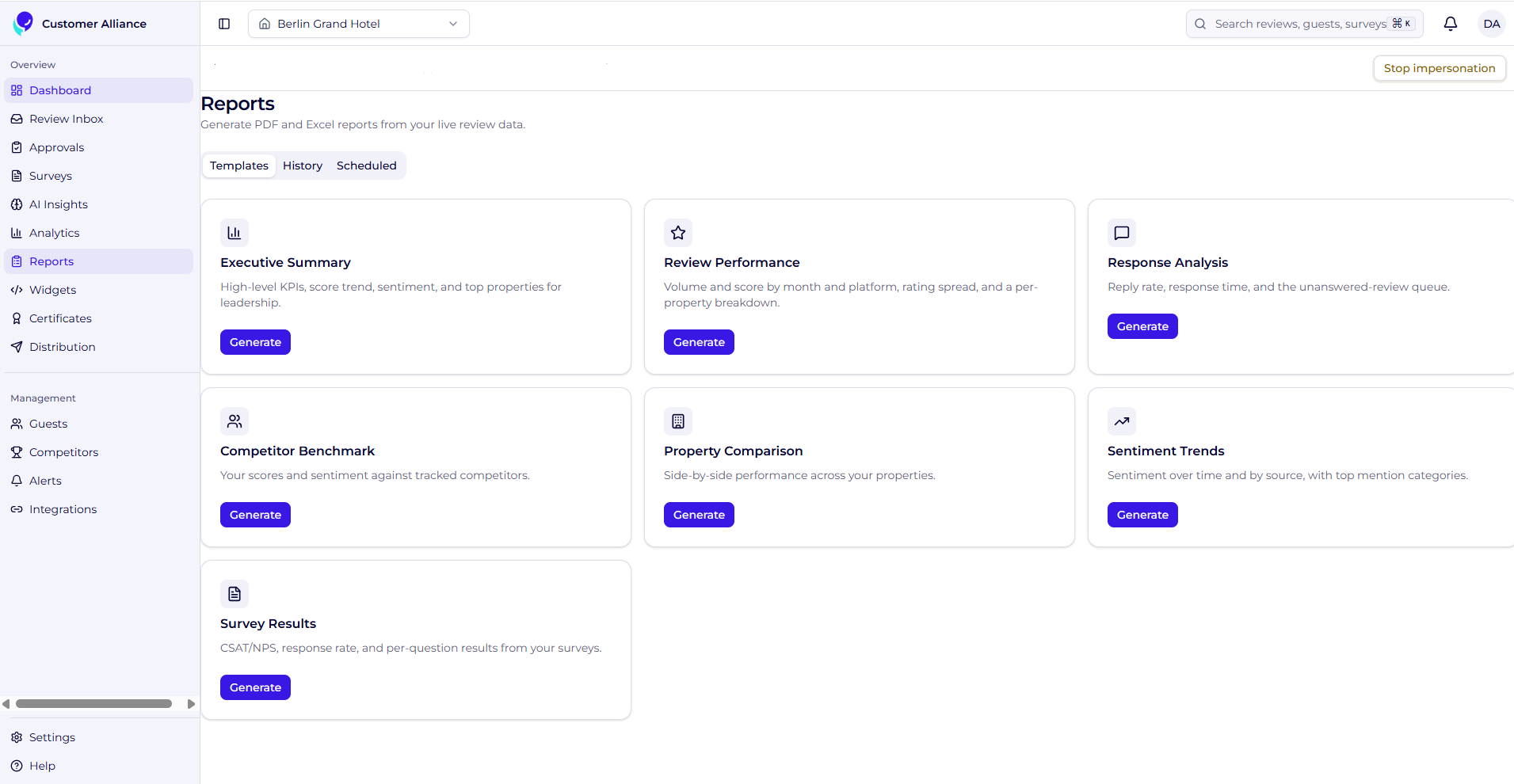
Reports: share performance with leadership and teams
Reports export clean, professional PDFs for leadership, stakeholders, and teammates who don't log in. Use built-in templates (previewable before you generate), or build a custom report by selecting the exact modules and charts you need. The Schedule tab automates recurring delivery to stakeholder inboxes, and the History tab keeps an audit log of what was sent and to whom.
Website widgets: show guest feedback on your website
Website widgets are floating JavaScript elements that display live review scores and guest feedback on your site as social proof. Choose a simple rating badge or a review carousel, then hand the generated code to your webmaster, or use the API for a fully custom, brand-matched widget.
Integrations: connect your hotel tech stack
The Integrations area is the central hub for connecting your digital ecosystem, so guest feedback flows into the tools your team already uses.
Review portals: manage direct API connections, or request a connection for channels without a native link.
Core systems: connect your PMS and CRM to automate guest-data syncs and trigger survey campaigns on stay events.
Collaboration channels: route real-time alerts into Slack or Microsoft Teams.
API keys and webhooks: generate secure tokens to pull raw data into analytics platforms and custom applications. New integrations connect via OAuth or API-key exchange and activate immediately.
Who is the Customer Alliance platform for?
The Customer Alliance platform is built for hotels, and grounded in the reality of how hoteliers actually work. It gives the people who own the guest experience (general managers, cluster and regional managers, and revenue teams) a single shared view of guest feedback, each reading it through the lens that matters to their role rather than working from separate reports.
It works the same way whether you run one property or hundreds. Independent hotels, hotel groups and chains, and hotel management companies all use Customer Alliance to keep standards consistent and ground their decisions in what guests actually experience, Dorint Hotels & Resorts, for example, manages guest feedback across nearly 60 hotels on the Customer Alliance platform.
For general managers, that means fewer fire drills and proof that operational changes landed with guests. For cluster and regional managers, it means portfolio-wide benchmarking and consistent reporting across properties. For revenue and commercial teams, it means a clearer read on the experience signals that shape reputation, visibility, and booking confidence.
Know what to improve, and prove it worked
Your systems keep the hotel running and show you what happened. Customer Alliance's new platform is built to show you how it landed with the guest, what to focus on next, and whether the last change worked. That is the shift from managing reviews to guest feedback intelligence. Hotels investing in this layer now aren't just adding a feedback tool; they're building the layer that makes everything else in their stack more valuable.
Ready to see the new Customer Alliance? Book a demo and discover how the platform helps your team collect better feedback, understand what guests value, and prove where to focus next.
Frequently asked questions
What is guest feedback intelligence?
Guest feedback intelligence is the practice of bringing together everything guests say, across review portals, surveys, languages, and time and turning it into structured, shared, and actionable understanding across the whole hotel. Built on four pillars (capture, understand, share, and act), it lets a hotel see what guests are consistently experiencing, which issues matter most, and whether recent changes worked, rather than reading feedback one comment at a time.
How is Customer Alliance different from other review management tools?
Other review management tools tell you what guests said and help you reply. Customer Alliance tells you which issue to fix first, whether your last operational change moved the score, and how the guest experience is shaping reputation and bookings. That decision-making layer is what makes it hard to drop without returning to guesswork.
What kinds of surveys can I build?
You can build surveys from a blank canvas or a template, using NPS, CSAT, CES, star and emoji ratings, text fields, and single- or multi-select questions. Conditional sub-questions let you trigger targeted follow-ups based on a guest's answer, and unlimited surveys are available on plans that include them.
Is the new Customer Alliance platform available now?
Yes. The AI-first platform is available now to hotels and groups worldwide, and existing feedback workflows; reputation management, review collection, replies, and surveys, remain core to it.
Does the platform integrate with a hotel's existing systems?
Yes. A dedicated Integrations area lets teams connect review portals, integrate a PMS and CRM, send alerts into Slack and Microsoft Teams, and access API keys and webhooks so feedback data can move wherever they work.
Customers expect an excellent experience both in-store and online. Even if your enterprise doesn’t have a physical store, the consumer experience is still a defining factor. The voice of the consumer is what your shoppers say about their experience with your brand. Use consumer feedback to put your shop in front of the competition.
Read on to see how you can harness the power of feedback to elevate your ecommerce shop.
Why is the Voice of the Consumer important for ecommerce?
Voice of the customer, also called voice of the consumer, is now the leading way to understand your customer. Be proactive about asking for feedback. Let consumers tell you what they want and need to remove the guesswork from discovering their desires. To review, see The Voice of the Customer Guide: Importance, VoC tools and examples.
89% of consumers worldwide make the effort to read reviews before buying a product (1).
This stat alone reveals how influential the voice of the consumer is to other potential consumers. What others have to say about your products often provides more value and trust to your brand than what you have to say about your own shop.
Investigate what is being said about your company. If it’s good, use it to promote. If not, use the feedback to improve. Let’s dive into how you can collect this feedback.
Methods of gathering customer feedback
The opportunities for feedback collection are plentiful. Consider these ways to capture your voice of the consumer data.
Questionnaires
Send out a questionnaire to ask for feedback regarding different stages of the customer journey.
Did they find your website intuitive?
Was checkout easy?
Were they satisfied with the product/service?
Would they recommend you to a friend? (Yes, this is a Net Promoter Score question.)
Just because your shop operates online does not discount the importance of interviews. Interviews offer a great way to obtain the raw, unfiltered voice of the consumer data and it will build trust with those whom you interview.
Conduct the interview over the phone or even by email at the convenience of your client. Make sure to ask them if you can record the interview and even use them on your website for customer quotes.
If you have the capabilities, use live chat to talk to customers when they’re on your site. They’ll love the convenience of a quick answer and will find their purchasing made easier as they could quickly get an answer to their question.
Additionally, to reduce cart abandonment, consider putting a live chat on your checkout page or pricing page.
Show you care by taking reviews seriously. Many customers find that brands don’t respond to their reviews at all and guess what? When you don’t respond to reviews, you risk increasing your customer churn by 15%. (3)
Turn negative feedback in your favour
Respond well to negative feedback. And yes, consumers look for how a company responds to negative feedback. If you end up collecting a lot of reviews (as you should!), you’re bound to have a few negative ones. But you know what? That works to build trust. 30% of consumers will not believe your reviews to be real if you don’t have any negative ones (4).
Additionally, by responding quickly and appropriately, you might be able to convince a consumer to edit their rating or review of your shop and end up with another positive review.
Negative customer feedback is also always an opportunity to learn from the voice of the consumer. Perhaps they’ll enjoy your product overall, but mention a small pain point in a review or questionnaire. Fix it to increase sales and customer satisfaction.
Optimise, optimise, optimise
Oh, and another thing we’ve heard to be helpful: Optimise product descriptions based on feedback. Then your consumers’ expectations are more likely to match your product or service. And then they’ll be happy, and likely loyal!
Improve your shop based on customers’ likes and dislikes. This goes beyond your company’s offerings, but also includes the customer experience:
Were they able to find all the information they needed?
If not, was help readily available?
How did they experience the checkout process?
Did the product description accurately reflect the product?
Evolve whether it’s positive, neutral, or negative. Analyse the results and make actionable decisions.
Use feedback to encourage purchases
As the ecommerce industry is online, it relies heavily on consumer reviews and ecommerce shops need quite a bit of reviews per product to drive revenue. Look:
Reviews of 50 or more per product can mean a 4.6% increase in conversion rates (4).
Increase your ecommerce shop’s conversion rate by using voice of the consumer data directly on your website. Many companies encourage purchasing by displaying consumer reviews.
For example, here at Customer Alliance, we offer a widget that clients can integrate on their website to display the customer feedback they receive.
Lastly, it’s important to distribute consumer feedback among various review portals to build your online presence. Make sure you have reviews on all relevant review platforms. By doing so, you’ll attract new consumers to your website.
In conclusion, investing in a voice of the consumer solution is an excellent step to building your ecommerce site’s online visibility and promoting customer trust.
Sources:
Trustpilot Report: The critical role of reviews in Internet trust
Learning Hub: 51 Customer Review Statistics to Make you Rethink Using Them
Chatmeter: Google Confirms Responding To Reviews Improves Your Local SEO
Vendasta Infographic: 50 Important Stats You Need to Know About Online Reviews
We’re so excited to announce the launch of in-app and in-web surveys! Also known as microsurveys, they offer a short, targeted and timely way to collect customer feedback right inside your website or app.
With lots of use cases and instant, actionable data, we can’t wait to see how microsurveys will get you even better results. But first, let’s dive in and learn more about this powerful feedback tool. Here we go!
In-Web And In-App Surveys vs “Traditional” Surveys
Traditional surveys are multi-question or multi-page and are often sent to the customer via email. These types of surveys still hold tremendous value, providing deep insights that are key to any Voice of the Customer program.
But there are some instances where bigger isn’t necessarily better. Microsurveys are the perfect complement to traditional surveys, targeting the here and now of specific customer scenarios.
What Makes In-Web And In-App Surveys Different?
Microsurveys ask just one core question (with an optional conditional question), making them quick and easy to complete. By reducing the number of steps the customer needs to take, microsurveys reduce friction.
As they appear right on the screen, they also eliminate the need to leave the website or app to give feedback. This results in a higher response rate and even more valuable data for your business.
Microsurveys allow you to ask the right questions at the right time with customisable triggers. Your microsurvey could appear on a certain page, like a booking confirmation. Or it could pop up when a customer clicks a specific button, for example after hitting ‘Send’ on a message. This helps capture feedback when the topic is still fresh in the customer’s mind (which will again make them more likely to respond!)
How To Use In-Web And In-App Surveys
In-web and in-app surveys can be used for many different question types depending on your business goals. This includes:
Numerical ratings (for metrics like NPS, CSAT and CES)
Star ratings (e.g. to share opinions on the quality of an article)
Free text fields (e.g. to provide suggestions about a product)
Multiple choice (e.g. to give a reason for cancellation)
Let’s take a look at a few ways microsurveys can be used in practice.
Improve A Process
In a bid to increase revenue, a hotel is looking to optimise its booking process. To do this, they collect opinions using one simple question that appears when a user has completed a booking.
This Customer Effort Score (CES) question offers a simple way to learn how easy the user found the booking process. Depending on the score given, the in-web survey could also include a follow-up, free text question, like:
Awesome! Anything else we can do to improve?
Thank you! How can we make the booking process easier?
Understand Customer Churn
A car dealership wants to know why some customers cancel their maintenance plan so they can improve their offer. To do this, they ask a single, multiple-choice question to users of their app when they have completed a cancellation.
The car dealership can then analyse the responses for trends to steer the direction of their service. For example, if most respondents answered ‘It was too expensive’, the dealership may consider lowering the monthly cost or introducing an additional service into the plan.
Measure Customer Loyalty
A company wants to identify their most loyal customers and convert them into brand ambassadors. A single Net Promoter Score (NPS) question gives them the ideal solution.
Again, the company could ask a follow-up question that changes depending on the score given. Run continuously, this microsurvey will also allow them to track changes in overall customer loyalty.
Sounds Great! How Do I Get Started With In-Web And In-App Surveys?
Simply schedule a call with your Customer Success Manager who will answer your questions and help you get set up! Alternatively, if you are not yet working with Customer Alliance but would like to find out more, you can schedule a free, no-obligation demo with us by clicking the button below.
“We know that people want to hear other people’s experiences to help them make decisions.”
That’s what Google say about the development of Search Generative Experience (SGE). Soon, being found online won’t just be about optimised websites and targeting keywords. It will be about your entire digital footprint, including how other people talk about your brand.
In this article, we’ll explore how this evolution is set to shift the way businesses approach online visibility and give you a clear strategy going forward.
Understanding and adapting to these changes is crucial for anyone looking to stay ahead in the digital marketplace. So let’s demystify SGE–your roadmap to mastering the future of online search starts here.
How SGE will change the way people search
To understand why external content will be so powerful for online visibility, first, we need to get familiar with the goal of SGE.
According to Google:
“With the new generative AI functions, search becomes even more efficient. Thanks to these advances, you can understand a topic more quickly, gain new perspectives and insights, and complete your tasks more easily.”
What does this mean in practice? Imagine a traveller, let’s call her Sarah, planning a trip to Paris. She’s not just looking for any accommodation; she wants to stay in a quintessentially Parisian boutique hotel. It has to be pet-friendly because her dog Roscoe goes wherever she goes. Sarah also cares about sustainable practices and wants to make the most of Paris’s café scene.
Traditionally, Sarah might search “pet-friendly boutique hotels near Eiffel Tower”. She would likely click on a few different pages, weigh up the amenities, read vague descriptions, and cross-reference locations. Then once she’d narrowed down her best options, she might check for sustainability credentials and search the areas for local cafés.
SGE aims to condense Sarah’s quest into a single, intuitive search query: “Eco-friendly pet-friendly hotel in Paris near cafes”.
The websites that Google’s AI thinks are the most relevant for that query will show up at the top of the page, above organic rankings (and sometimes even above paid ads).
So how can you feed Google the information it needs to ensure your business shows up where it matters most?
Look beyond your website
As we pointed out at the start of this article, Google is interested in hearing what other people think of your brand, not just how you present yourselves.
That’s not to say that you needn’t bother optimizing your website for search—far from it—but it means that external content is just as important. This includes:
Your customer reviews
Your social media profiles (and what you post there)
Mentions of your brand on other websites and social media
Together, these create a complete picture of your brand authority that tells Google how to include you in the search results. Their goal is to provide the most relevant content for their users, so the more information they have about you, the more accurately their algorithms can figure out where to place you.
Customer reviews: the next big thing for SGE ranking
Of the types of external content we mentioned above, we think reviews will become one of the most important factors for ranking when SGE rolls around. Why? Not only do reviews provide insights from people who’ve actually used your products or services, they also tell Google more about what you do well and how certain demographics might experience your business.
To prepare for SGE, we recommend three things:
Get more reviews
Encourage more detailed reviews
Reply to your reviews
1. How to get more reviews
Most businesses take a hands-off approach to reviews. They expect some, though not all, happy customers to share their feedback and leave their review volume up to chance.
If you want to reap the benefits of reviews for SGE, you need to take a more proactive approach. There are many ways you can encourage customers to leave reviews. The key is to make it as quick, convenient and easy as possible.
Here are a few ideas to get you started:
Generate a direct Google review link through your Google My Business listing. This will prevent a poor user experience where a customer has to navigate through multiple screens to share their feedback.
Add the link to your email signature for a subtle review reminder that is seen many times a day.
Add the link to your website in high-traffic areas like your homepage to prompt return visitors.
Create a template review request email to run strategic review campaigns. Great copy, personalisation and a direct link can help increase your review volume.
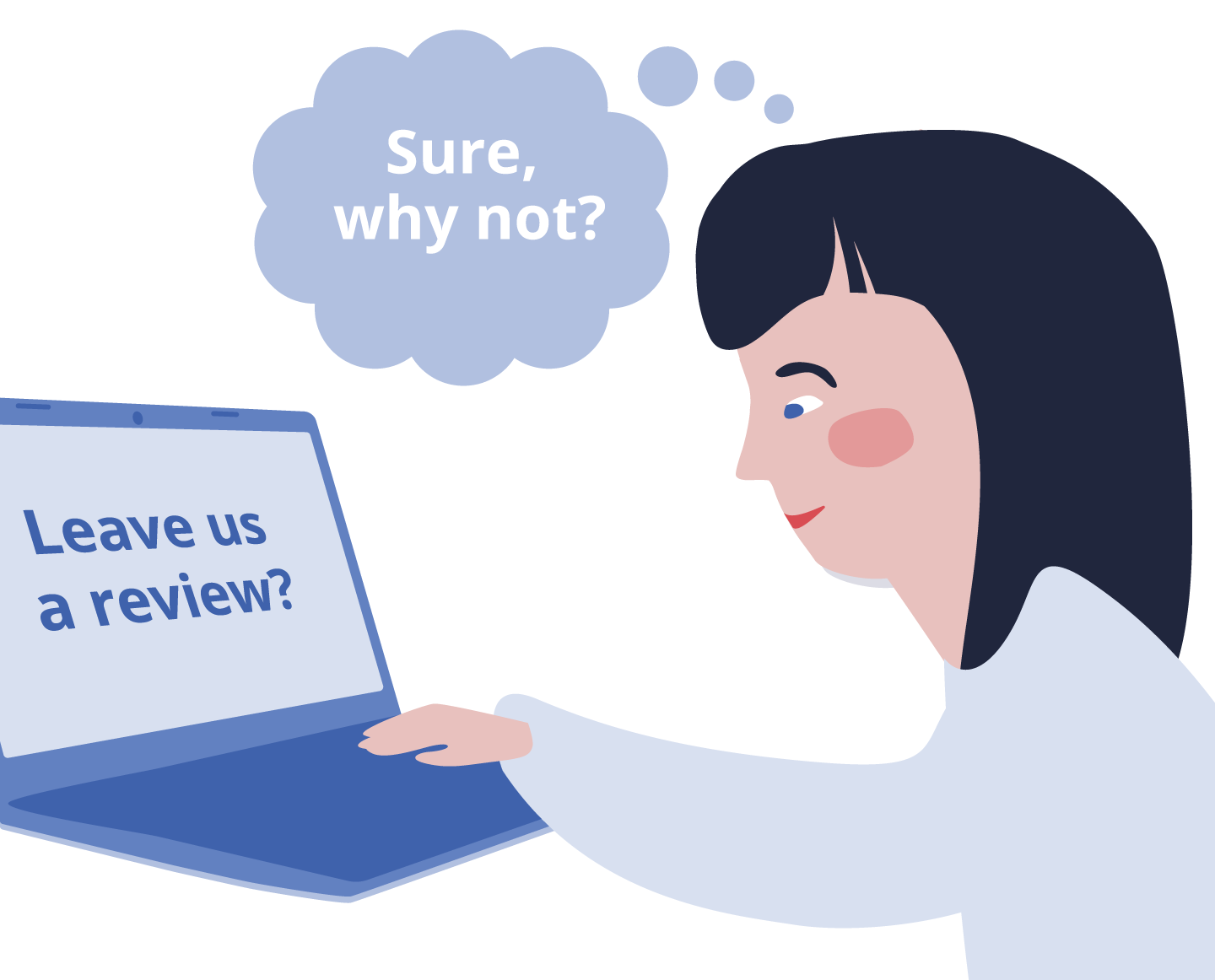
Design “Leave us a review” cards and a QR code with your review link. Distribute the cards with transactions or strategically place them around your business.
Add a review invitation to the end of your surveys. Since respondents have already shown a willingness to provide feedback, they’re more likely to take this extra step.
Pro tip 💡 use review management software to automate review collection. Platforms like Customer Alliance offer the most efficient way to consistently increase your reviews. Our software sends automatic invitations that allow your customers to leave public reviews in a matter of seconds, with no manual work on your end.
2. How to encourage more detailed reviews
Many reviews are surface-level, and don’t go into detail about their experience. This is fine if you just want to build up your review score on portals like Google or Yelp. However, to give search algorithms more information about your business your reviews need to include relevant keywords.
Simple prompts can help you get richer reviews that offer more information for potential customers and Google alike. For example, rather than simply asking guests you leave a review, you could ask them if there was anything they particularly enjoyed about their experience or the nature of their visit.
You can also think about this strategically. Say you’re a general manager of a hotel, and one of your unique selling points is your proximity to a popular tourist attraction. In this case, you might encourage guests to mention how they found the location convenient for their sightseeing plans.
Questions like, “Did our proximity to [Tourist Attraction] enhance your stay?” or “How did you find the convenience of getting to [Tourist Attraction] from our hotel?” can guide guests to provide reviews that highlight this key aspect of your hotel.
Remember, it’s important to make these prompts as natural and unobtrusive as possible. The aim is to encourage guests to share their genuine experiences in a way that also feeds directly into SGE’s demand for specificity and personalisation
3. How to reply to reviews
The quality of your responses can be just as influential as the reviews themselves in shaping public perception and improving your SGE rankings. Responding to all types of reviews, not just the positive ones, shows a well-rounded and authentic approach to customer service. It provides additional content for SGE algorithms to scan, improving your search relevance and demonstrating active engagement with your customer base.
A good review response should be personalised, addressing the customer by name if possible, and reflect genuine appreciation for their feedback. Whether the review is positive or negative, acknowledge the customer’s experience.
For positive reviews, express gratitude and reiterate any specific points they praised, subtly incorporating relevant keywords. For example, if a review mentions the high-quality breakfast at your hotel, you could suggest the guest might enjoy the restaurant’s signature three-course tasting menu during their next stay.
In the case of negative reviews, respond with empathy and a commitment to improve. Apologise for any issues they faced, and if appropriate, offer a way to rectify the situation. This not only demonstrates good customer service but also reassures potential customers reading the reviews.
Pro tip 💡 use AI to keep up with your review responses. As you collect more reviews, you may find that it’s hard to respond to each one manually. Customer Alliance’s AI Reply Assistant will drastically reduce the time spent replying while generating consistently high-quality, personalised responses.
Get SGE-ready with a solid review management strategy
With SGE on the horizon, your customer reviews are set to become more crucial than ever. They’re not just snapshots of customer sentiment. They’re the blueprint for how you show up online.
The key isn’t just getting more reviews–it’s getting richer, more detailed feedback. Engage with these reviews genuinely–thank your customers, address concerns, and show you’re listening. It’s not just good customer service; it’s smart SEO strategy.
Embrace this shift. Use your reviews to paint a vivid picture of your business for Google’s AI. Do this, and you’re not just adapting to the future of search–you’re owning it.
It’s a Monday morning, and you settle into your chair, cup of coffee in hand, ready to check your latest reviews. A stream of positive feedback flows by, validating your team’s hard work. But then, you spot it—a harsh, critical review that makes your heart sink. As you read closer, though, something’s off. This isn’t a dissatisfied customer; it’s a fake review.
But before the panic sets in, know this: you’re not powerless. By the end of this article, you’ll know how to combat fake reviews and minimise their impact on your business.
1. Check Google’s policy to see if the review qualifies for removal
Before you tackle the suspicious review, let’s review Google’s guidelines. They’ve provided clear rules about which reviews can be removed.
Spam and fake content: any reviews that are repetitive or showcase irrelevant content, and any reviews that aren’t based on a real experience or are from fake accounts, are against Google’s policies.
Off-topic reviews: reviews that don’t pertain to an actual experience, including ones that touch on political ideologies, social causes, or other unrelated issues, can be flagged for removal.
Restricted content: this includes reviews that share personal information, like someone’s address, phone number, or any other private data. It also covers reviews promoting illegal or harmful activities.
Illegal content: any review that promotes illegal activities or includes hateful speech against a group based on race, gender, religion, or other protected categories is against Google’s terms.
Sexually explicit material: any review containing explicit content or language will be removed.
Conflict of interest: reviews written by employees, owners, or competitors, which can be seen as biased or malicious, violate Google’s policies.
After acquainting yourself with Google’s guidelines, revisit the review in question. Does it violate any of the above policies?
If you’re unsure, it’s still worth flagging the review. Google’s support team will then assess its validity. It’s always better to bring a potential issue to their attention than to let a possible fake review tarnish your business’s reputation.
2. Flag the fake review in your Google Business Profile
Fortunately, requesting that Google remove a review is fairly straightforward. Here are step-by-step instructions to guide you through the process.
Finding the review on your profile:
Log in to your Google My Business account.
On the dashboard, select the location of your business (if you have multiple locations).
Click on “Read reviews” from the menu on the left
Browse through the reviews to locate the one you suspect is fake.
Once you’ve identified the fake review:
Directly to the right of the review, you’ll three dots
Click on the dots an then ‘Report review’
Describing the review:
After clicking the flag:
A window will pop up asking why you’re reporting the review
Choose the relevant reason and then ‘Send report’
3. Request denied? Submit a one-time appeal of the fake review
It’s disheartening when a clearly fake review remains on your profile even after you’ve reported it. However, Google provides another way to assert your case – a one-time appeal. Here’s how to navigate this process:
Understanding the criteria for re-evaluation: Before proceeding, it’s essential to know that Google will only re-evaluate reviews based on their guidelines and policies. This means that the content of the review should clearly violate these guidelines for a successful appeal.
Steps to launch your appeal:
Go to the Reviews Management Tool
Confirm your email address
Select your business and then click ‘Check the status of a review I reported previously and appeals options’
At the bottom of the page, select Appeal eligible reviews and then select the review you want to appeal
Click ‘Continue’ and then ‘Submit an appeal’
In the new tab, fill out the form and submit it
You’ll receive an email with the verdict of your appeal
How to make your appeal stand out
Clarity is crucial: while you need to be concise, ensure you’re clear about which guidelines the review violates. For example, instead of just stating it’s fake, specify how it may be from a biased source or contains false information about services/products you don’t offer.
Present your evidence: if you have any supporting evidence, like email correspondence that contradicts the reviewer’s claims or timestamps proving inaccuracies, make sure to include them. This added layer of verification can bolster your appeal.
Professional tone: always maintain a professional demeanor in your appeal. Even if the fake review has emotionally affected you, avoid using charged language. Stick to the facts and be objective.
After submitting an appeal for a review on Google, the response time can vary. Typically, you can expect to hear back from Google within 3 to 5 business days, although this can be longer during peak times or for complex cases. It’s essential to remain patient and periodically check your email, including the spam folder, for any notifications from the Google My Business team.
4. When removal isn’t possible: how to lessen the impact of a fake review
While it’s frustrating when Google won’t take down a fake review, it’s not the end of the world. In fact, how you respond can make a significant difference in how potential customers perceive your business.
Write a reply that showcases your credibility to other customers (while making it clear the review is not to be trusted)
Responding to a review—especially a fake one—requires tact and professionalism. Your response can influence potential clients and show that your business values feedback and integrity.
Tips for crafting a professional response
It’s natural to feel attacked by a fake review, but resist the urge to retaliate. Start by acknowledging the reviewer’s feedback, e.g., “Thank you for taking the time to leave a review.”
Without directly stating the review is fake, highlight any discrepancies. For instance, “We checked our records, and it seems there might have been some confusion. We don’t offer the service you mentioned.”
Show that you’re proactive about finding a resolution. “We value all feedback and want to understand your experience better. Please feel free to contact us directly at [your contact info] so we can address any concerns.”
End on a note that emphasises what you do best. “We pride ourselves on [a unique selling point, e.g., “providing top-notch customer service”], and we hope that all our customers leave feeling satisfied.”
Remember, your response isn’t just for the person who left the review—it’s for all the potential customers reading it. By showcasing your professionalism and dedication to customer satisfaction, even a fake review can become an opportunity to highlight your business’s integrity.
Pro tip 💡 Customer Alliance’s AI Reply Assistant wites high-quality, personalised responses with just one click, making it easy to respond to even the trickiest reviews.
Run a review campaign to drown out the fake review with genuine, positive reviews
A single negative or fake review can disproportionately sway potential customers. However, one of the most effective ways to counteract this is by amplifying the voices of your genuine, satisfied customers.
Launching a review campaign can help spotlight these authentic, positive experiences. Here’s how you can get started:
Identify customers who’ve had a recent positive experience with your business. Then, send personalised requests through your email marketing provider, asking them to share their experience on the relevant review platform. Pro tip: make it easy for them by sharing a direct link to write a review if possible.
It’s natural for some customers to overlook the initial request. Send a gentle reminder after a week or so, reiterating how valuable their feedback is. Ensure it’s not too pushy; the goal is to nudge, not annoy.
Try to respond to each new review you get. Engaging shows how much you value the customer’s feedback and plays a part in drowning out any negativity from the fake review.
Get new reviews on autopilot
Review management software like Customer Alliance enables you to send review invitations to your customers automatically. Since they constantly run in the background, they make sure you always have a steady stream of reviews coming in. This helps you maintain a strong online reputation while counteracting any isolated negative or fake feedback.
Take back control from fake Google reviews
Fake Google reviews can be a challenge, but they’re manageable with the right approach. While it might be tempting to react emotionally to unjust feedback, it’s essential to remain calm and strategic. By staying informed and understanding the tools at your disposal, you can tackle these challenges head-on.
Remember, how you handle adversity often speaks louder than the adversity itself. Engage with reviews professionally, be transparent in your communications, and always prioritize the concerns of genuine customers.
Instead of getting frustrated with fake feedback, use it as an opportunity to showcase your business’s strengths. Your proactive approach to managing reviews, both real and fake, can set you apart from the rest.
FAQs about how to remove fake Google reviews
Q: What’s the first step to take when I suspect a Google review is fake?
A: If you believe a review is fake, the first step is to familiarize yourself with Google’s content and review policies. This helps you determine if the review in question violates any of their guidelines. If it does, you can proceed to report or flag it through your Google Business Profile.
Ensure you document the review (like taking a screenshot) before any actions, as you might need it later for reference or appeals.
Q: I flagged a fake review, but Google didn’t remove it. What now?
A: If you’ve flagged a review and Google didn’t take action, it doesn’t mean the end of the road. You can submit a one-time appeal for a re-evaluation. Navigate to the Google My Business Help Center, choose “Contact Us”, and follow the prompts related to reviews.
When appealing, provide a clear, concise explanation about why you believe the review is fake, and if possible, share any evidence (like correspondence or transaction records) that supports your claim.
Q: Are there other ways to mitigate the impact of a fake review if it can’t be removed?
A: Absolutely! If a fake review can’t be removed, it’s important to respond to it professionally. A well-crafted response can reassure potential customers of your dedication to service.
Mention any discrepancies in the review without being confrontational and offer a way for the reviewer to contact you directly. Additionally, consider running a review campaign to encourage genuine, positive reviews from your satisfied customers, which can overshadow the negative impact of a fake one.

.png)



.png)

.webp)
.webp)